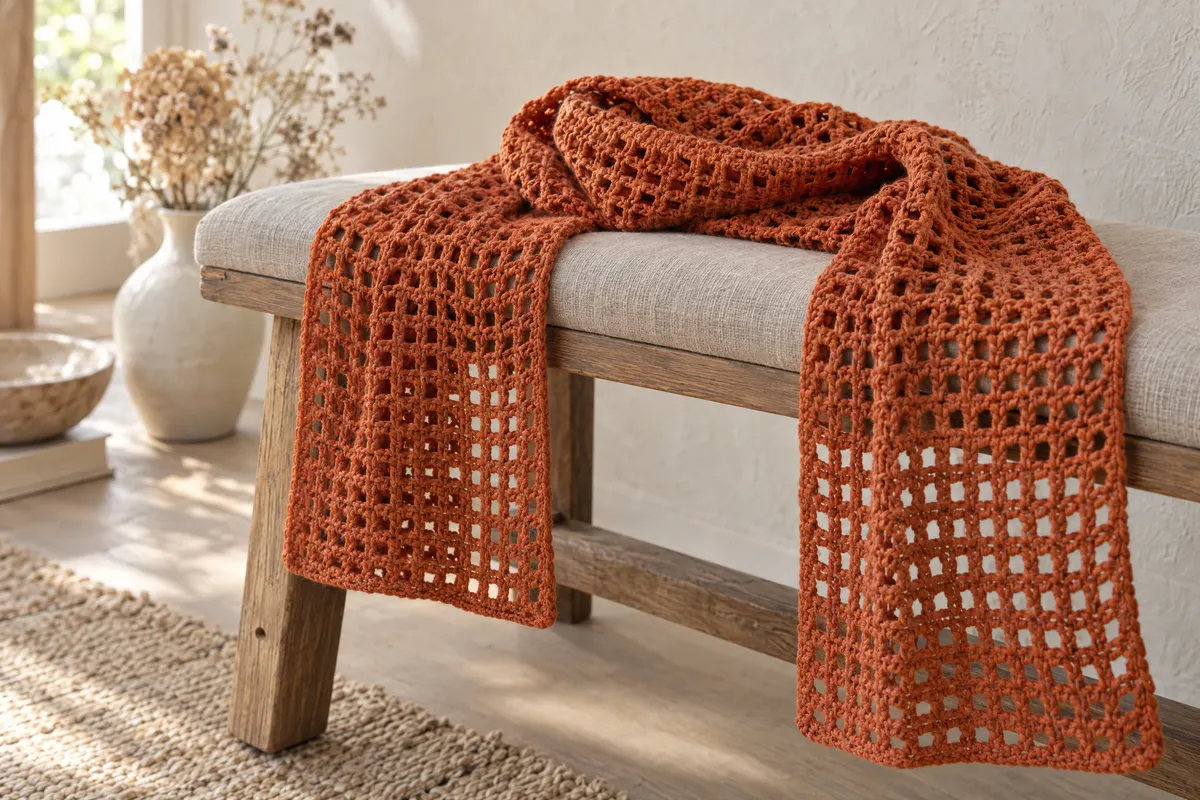
Filet Mesh Summer Scarf
Light, open mesh in cotton or linen. One row to learn, and it blocks out beautifully.
- Yarn
- DK (3) cotton, linen or bamboo blend.
- Hook
- G-6 (4 mm)
- Sizes
- 8 × 70 in (20 × 178 cm)
- Example gauge
- 18 sts (dc and ch) and 9 rows = 4 in (10 cm) in mesh
- Yarn needed
- About 630 yd (575 m) DK. Pick “Lace/openwork”.
- Stitch multiple
- odd
US terms. The UK name follows in brackets the first time each stitch appears. Turning chains don’t count as stitches unless a step says so. See US vs UK crochet terms and crochet abbreviations.
Do the math
The examples use the gauge above. Put your own swatch into the gauge calculator first, then use your numbers in each formula.
| Step | Formula | Example | Tool |
|---|---|---|---|
| Stitches | width × sts per in, to odd | 8 × 4.5 = 36 → 37 | Cast-On Calculator |
| Foundation chain | stitches + 2 | 39 ch | By hand |
| Rows | length × rows per in | 70 × 2.25 ≈ 158 rows | By hand |
Materials
- DK (3) yarn (see yarn needed)
- G-6 (4 mm)
- Tapestry needle
Gauge swatch
Ch 21, work 9 rows.
Instructions
Mesh
Ch (example: 39). Row 1: Dc (UK tr) in 3rd ch from hook, *ch 1, sk (UK miss) next ch, dc in next ch; rep from * to end. (19 dc)
Row 2: Ch 2, turn. Dc in first dc, *ch 1, sk ch-1 sp, dc in next dc; rep from * to end.
Repeat row 2 to 70 in.
Finishing
- Weave in ends.
- Wet block and pin the edges straight.
- Add tassels to the corners.
Designer’s notes
- Filet mesh is the base for filet charts: fill a square by working 1 dc into the ch-1 sp instead of the ch 1 to draw letters or motifs.
- Make it a wrap: 20 × 4.5 = 90 → 91 sts.
Counter set-up
Counter 1: rows.
Open the row & stitch counter for several counters, or use the quick one below.
Tools for this pattern
- Gauge CalculatorEnter your swatch counts to get stitches and rows per 4 in (10 cm).
- Cast-On CalculatorEnter your width and gauge; it rounds to the stitch multiple for you.
- Yarn Quantity CalculatorPick the project, size and yarn weight to get total yardage and skeins to buy.
- Row & Stitch CounterSet up the counters listed below; the screen stays awake while you work.